Identify what kind of text you are editing
A headline added over a product photo is different from lettering printed on a curved package. An overlay often sits on a flat background; packaging may include reflections, texture, perspective, and small legal or ingredient text. Those details make careful review especially useful.
If you have the layered artwork, correct the typo there first. Use the image editor when you are working from a flattened export. Make sure the replacement accurately represents the product and use a source image you have permission to edit.
Use the cleanest image and select the whole word
Upload the largest original JPG, PNG, or WebP you can find. Scan the text and select the affected word or phrase. For stylised packaging or tiny lettering that is not detected, draw the region manually and enter the original wording.
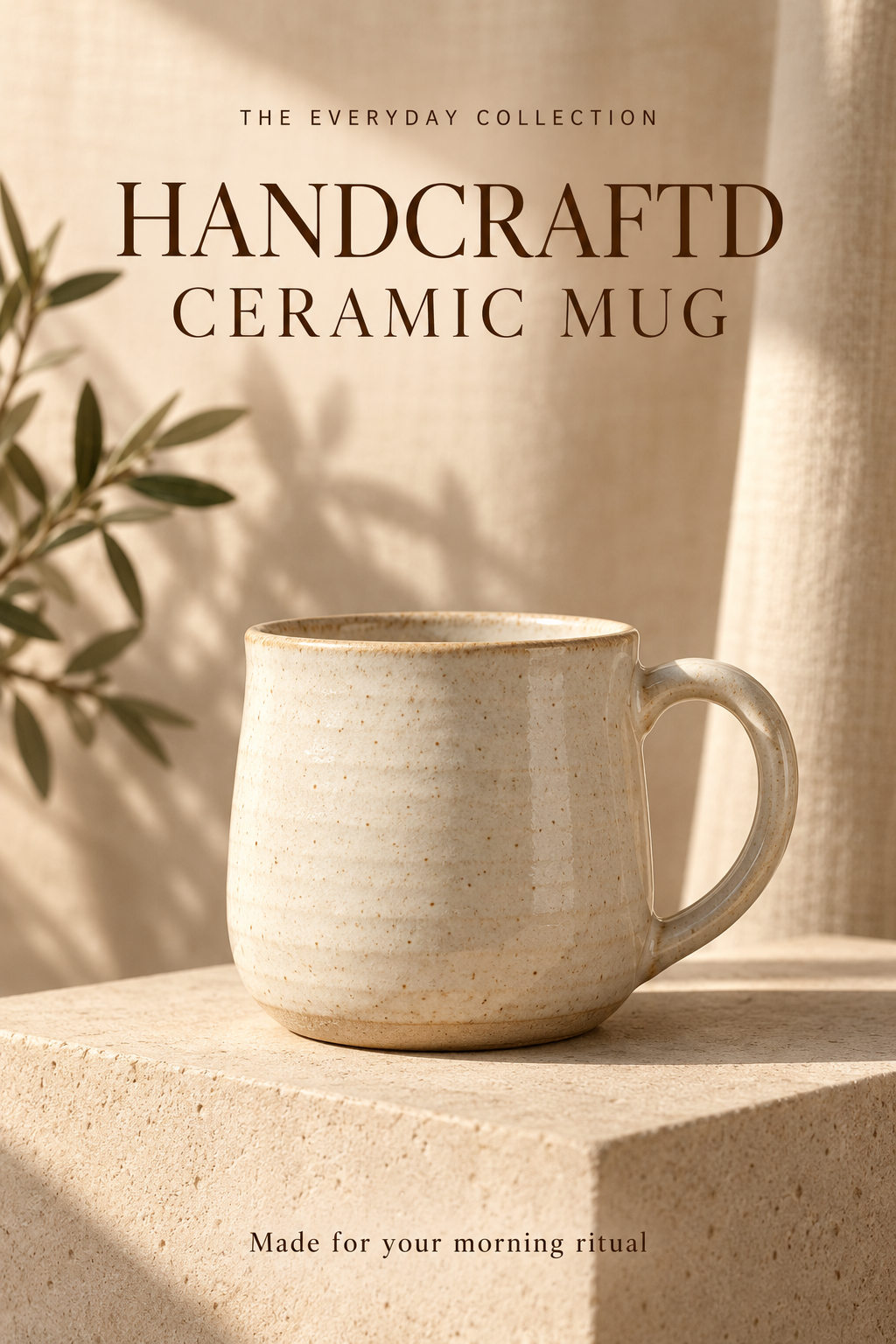
Give the selection enough room for the full word, including the corrected letter, without including unrelated product details. A correction from ‘HANDCRAFTD’ to ‘HANDCRAFTED’ adds a letter, so the replacement may need slightly different spacing to fit the same area.
Match the style and choose output settings
Choose Match original to ask AI to follow the existing lettering and colour. Enter only the replacement wording in Replace with. Keep the rest of your image consistent by making one focused change at a time.
Choose 1K, 2K, or 4K and check the credit cost shown in the editor before generating. A higher output resolution can be useful when you need more pixels, but it does not guarantee exact small-print reconstruction. Select PNG or JPEG according to how you plan to use the result.
Compare the product, not just the corrected word
Check the corrected spelling at full size, then inspect nearby labels, edges, shadows, colours, and any product details. AI reconstructs pixels and may change things near the selected area. A word can look right while a small symbol next to it has shifted.
For packaging, read all nearby fine print and compare logos and symbols with the original. Do not use an edited marketing image as the source of truth for ingredients, dimensions, or other product facts. Verify those against the approved product information.
Download and review in context
Download the result and preview it in the place it will appear, such as a product card or social graphic. A thin letter that looks clear when zoomed in may be difficult to read in a small thumbnail. PNG avoids another lossy compression step, while JPEG usually gives you a smaller photographic image.
If another text block needs correction, choose Edit again to work from the latest result. Keep an approved copy with a clear filename and retain your original image. When an edit changes too much around the word, return to that original instead of building more changes on top of an unsuitable result.
Try this exact edit on the practice image
Download the original above, open the editor, and use these values. Each guide has its own source image, so you can practise this change independently.
- Original text
- HANDCRAFTD
- Replace with
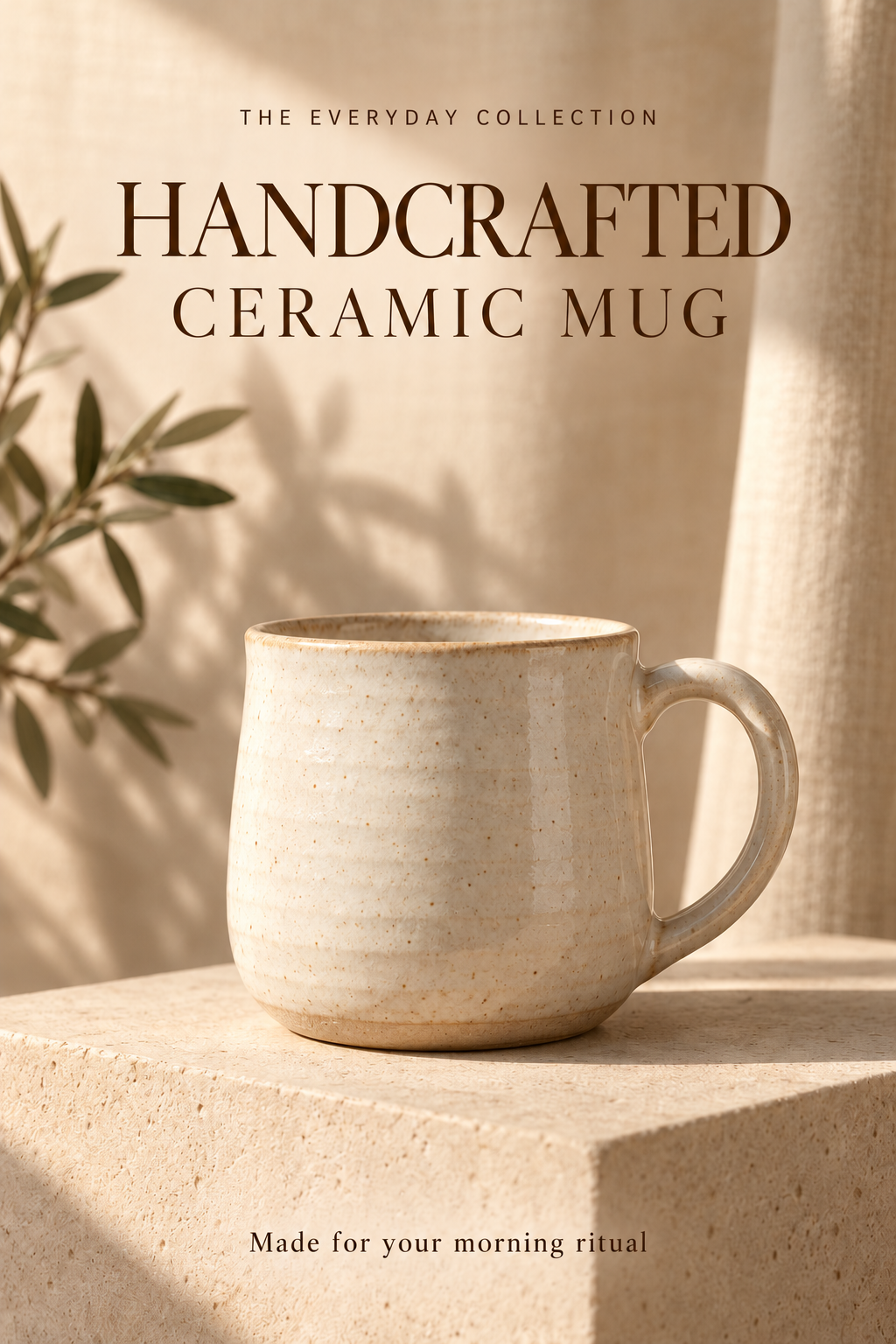
- HANDCRAFTED
- Font
- Match original
- Suggested format
- PNG for comparing text edges
Confirm the exact spelling
Compare HANDCRAFTD with HANDCRAFTED before editing. Enter the full corrected word so the spacing can be considered as a whole. Brand names and unusual product names should be checked against the owner’s approved spelling rather than guessed.
Allow space for the missing letter
Select the complete HANDCRAFTD headline without clipping its edges. The corrected word contains one more character, so look for breathing room around the existing line. Keep CERAMIC MUG and the product itself outside the selection.
Keep the lettering consistent
Choose Match original and generate at your selected resolution. Compare the added E with nearby letter strokes, and inspect the spacing across the whole word. A correct spelling with uneven tracking or noticeably thinner lettering can still look out of place on a product graphic.
Review the surrounding claims
Compare the mug silhouette, handle, glaze, plinth, and shadows with the original photo. Check THE EVERYDAY COLLECTION, CERAMIC MUG, and the bottom caption too. An edit that fixes the headline but changes the product’s appearance needs another attempt. For actual packaging, verify any ingredients, quantities, symbols, and claims against approved product information.
Choose output settings and estimate credits
A text scan costs 1 credit. Each image edit has the cost below; PNG and JPEG use the same credit amount. If you edit again, count another edit. Use the cost displayed in the editor before you generate.
| Resolution | One edit | Scan + edit |
|---|---|---|
| 1K · Standard | 20 credits | 21 credits |
| 2K · High | 30 credits | 31 credits |
| 4K · Ultra | 70 credits | 71 credits |
For example, one scan followed by two 2K edits uses 61 credits. An additional scan adds another credit. Start from a clean image; choosing more output pixels does not guarantee a closer font match or repair unreadable source lettering.
PNG avoids additional lossy compression. JPEG is useful when file size matters, especially for photographs. Select the format before generating, then open the actual download to confirm its dimensions and readability.
Before you approve the result
Check the target text at full size, then the complete design at its intended viewing size. A readable replacement is only part of a successful edit.
- The headline spells HANDCRAFTED in full.
- The added E is clear and not merged with its neighbours.
- Headline spacing still fits above CERAMIC MUG.
- The mug, handle, surface texture, lighting, and other text remain acceptable.
- The corrected headline remains readable in a product-card thumbnail.
If the edit needs another attempt
| What you see | What to try |
|---|---|
| The model substitutes a different word | Use the exact complete replacement and verify the original text field. Make one spelling correction at a time so the intended change is unambiguous. |
| The added letter makes the headline cramped | Choose a region with room for the full phrase and compare spacing after generation. If the design has no spare space, the source artwork is the better place to adjust font size or line breaks. |
| The correction works but nearby small print changes | Do not approve that version. Return to a clean starting image, narrow the selected area, and compare all neighbouring text on the next attempt. |
Common questions
Should I select the missing letter’s position?
Select the whole word or short phrase instead. Replacing a complete word gives the edit enough context to reconstruct its letter spacing and blend the background.
Can the tool automatically proofread every word?
The workflow scans text for selection; it does not guarantee that every typo is detected or corrected automatically. Decide which text to change and verify the complete result yourself.
Can I correct lettering printed on curved packaging?
You can try a focused edit, but curvature, reflections, and texture make it harder than a flat headline. Compare perspective, material details, and nearby labels carefully before using the image.
Put the guide into practice.
Try the sample without signing up, or upload your image to make your next edit.
Start editing